Site speed is an important part of your SEO strategy. Google wants to display websites with good user experience. If your website is slow, it will not provide a good user experience, and therefore will not rank as high on Google. If you are using Google Page Speed to test your Squarespace website, or your clients websites, you might be looking for some tips on how to get a good score on Google Page Speed on Squarespace.
Page speed on Squarespace is usually related to image size, but there are some more factors to consider. We will break down how this tool works and some tools to help you get a better score!
Table of Contents
Why you want a good score on Google Page Speed Insights on your Squarespace website?
Getting a good score on Google Page Speed on your Squarespace website can help you acheive a better website ranking on Google. It will also help you improve accessibility. This will make your website more accessible to everyone on the internet and improve your overall conversions because a healthy accessibility score will also make your website easier to use!
Google PageSpeed is a free tool by Google that analyzes your website based on four categories: Performance, Accessibility, Best Practices, and SEO.
The areas you have the most control over on your Squarespace website are Performance, Accessibility, and SEO.
➡︎ See how your website is performing by using this link: https://pagespeed.web.dev/
How to improve your score on Google Page Insights
Image Alt Tags
Improves accessibility score and SEO search rankings
Google doesn’t have eyeballs, so it needs image “alt tags” to know what your image is about. These descriptions are also used in audio readers. Adding alt tags to all your images will make your website more accessible, raise your accessibility score, and improve your visibility on search engines. Alt tags are an extra place you can put some keywords too! Just choose a few descriptive words when you add an image to your website.
Link Descriptions
Improves accessibility score
Accessibility readers like to know where a link is going to direct a person before they get there. Instead of using text such as “read more” or “learn more”, use descriptive words such as “learn more about me”, “work with me”, or “read blog”. This will improve your accessibility score significantly.
Image Size
Improves performance score, site speed, SEO rankings, and conversions
Large images will drop your “performance” score down immediately, and they make your website load slower. This directly affects user experience, and therefore will affect your search engine optimization rankings and your conversion rate.
Compressing our images on Squarespace is the number one thing we can do to improve site speed (and in some cases, the only thing we really have control over).
Search engines such as Google and AI models (ChatGPT, Claude, etc) also care about site speed. They don’t want to waste resources. The faster your site loads, the more likely they will scan your site, and more of it!
If you are reading this article before you build your site (unlikely), be sure to compress your images in advance. There are a few ways to do that manually below.
If you already have images on your site, keep reading. There is an easy way to do this in one click!
[For more tips how how to size your images down manually, read this blog]
How to compress your images manually:
Photoshop: Use the “Save for Web” feature and set your image compression to “low” jpg. If you need a transparent background choose “PNG”, but size the dimensions down if you can because these images will be bigger.
For banner images I recommend using a JPG compressed to low and around 1920 pixels. If you are going to do an overlay and don’t need a super crisp image, you can size your image down to 1200 pixels wide or less.
Free online compressor: If you don’t have access to Photoshop, you can size your image dimensions down in Canva or using a native app on your computer. Then run them through compressor.io.
If that doesn’t lower the size enough, run them through tinypng.com first and then compressor.io. I find that helps get the size down by about 50% more.
Note: There has been rumor about Squarespace increasing the size of compressed images. I did a test and didn’t find an issue when compressing with Photoshop. I compressed the image and reduced the dimensions to get the image down to 25 kb. When I uploaded it, it was at 27 kb (not enough of an increase to worry about it!).
Example of an image compressed and then uploaded to Squarespace.
How to compress your images in one click:
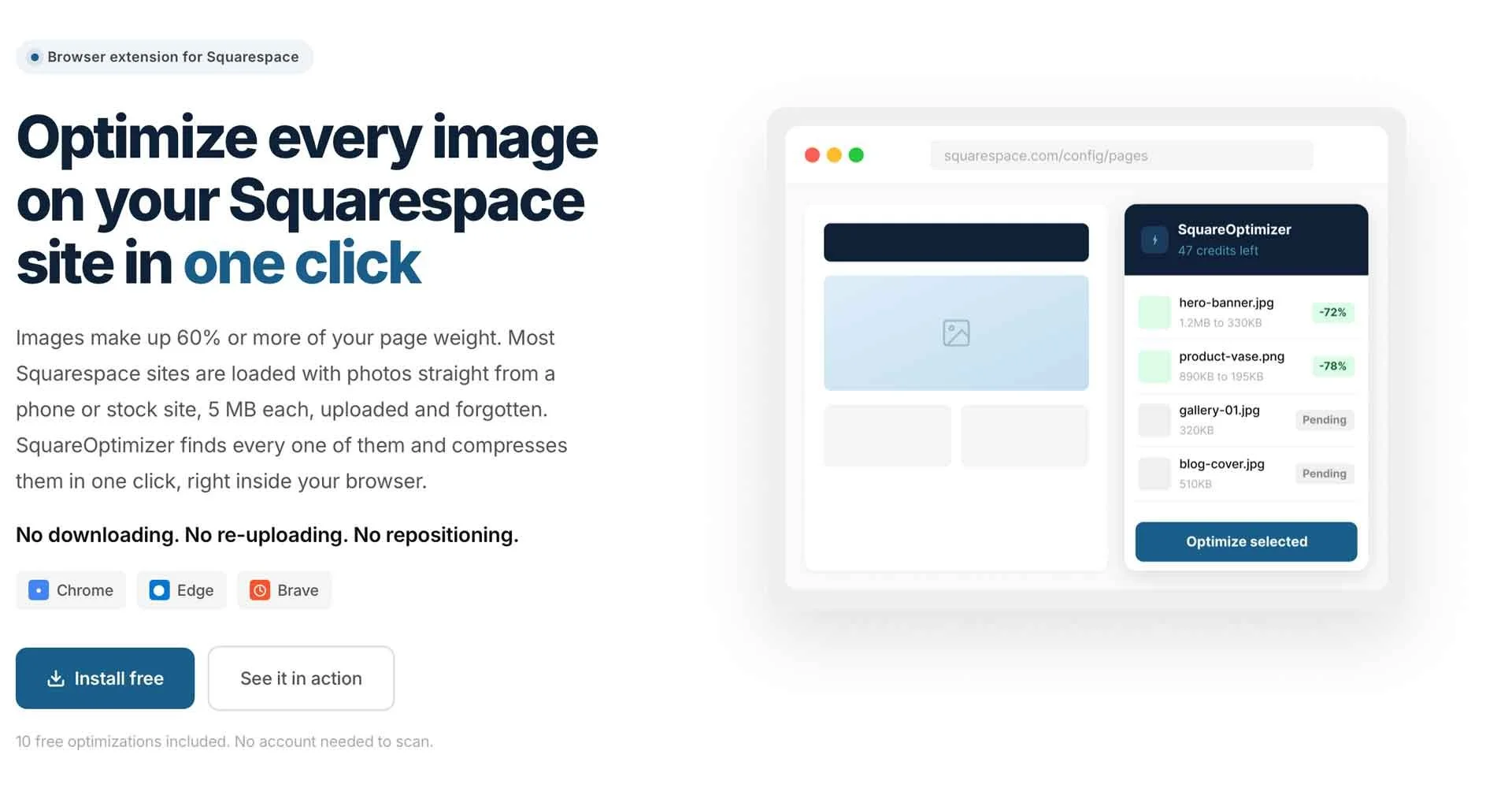
We now have a way to compress them all at once (like the good ol’ WordPress plugins!). Thanks to the SquareOptimizer chrome extension, we can now compress all of the images on your Squarespace website in one click.
This is done right inside the editor, so it replaces your current images with compressed versions. Image how long it would take to download, compress, and re-upload 100 images?
SquareOptimizer gives you 10 image compressions for free, and then it’s only a one-time fee of $17 for the next 100 (and so forth). No subscriptions, just pay for what you need.
High Contrast Color Pallet
Improves accessibility score and conversions
A year ago I rebranded my marketing agency. I loved the color pallet, until I tried to apply it to my website. It bothered me for a year. Finally, Google Page Speed started yelling at me for low contrast colors and I made some changes.
A high-contrast color pallet is going to score better on pagespeed insights, which will not only help your SEO rankings, but improve conversions on your website. If text and links are hard to read, people won’t be as likely to click.
What is a high-contrast color pallet?
Here is an example of the color pallet that didn’t perform well on my old website. The dark blue is almost the same color as the black. The three neutral colors are all similar in contrast. This makes them difficult to see against a white background and they don’t work well when combined together.
Low Contrast Example:
Here is an example of a high-contrast pallet (as used on this website). The colors on the left are light while the colors on the right are dark. The accent color is dark enough to show up on a white background. I can combine some of the light and dark colors together and have high-contrast sections with light backgrounds/dark text or dark backgrounds/light text.
High Contrast Example:
You can use a color contrast checker such as webaim.org to verify your own colors and create a high-contrast color pallet that also conforms with accessibility regulations.
Your Performance Score and Custom Code
So far I’ve found that websites with plugins, or code added to the code injector, doesn’t perform as well in the “performance” category. I believe this is because of how the Squarespace platform currently renders/delivers this extra code. I still recommend using plugins when needed, but I try to use as little code as possible.. If you optimize your images and follow the other guidelines, a Squarespace website without any extra code can score A+ across the board.
Did your website fail the test?
Get some work with a Squarespace SEO expert to identify and correct issues.